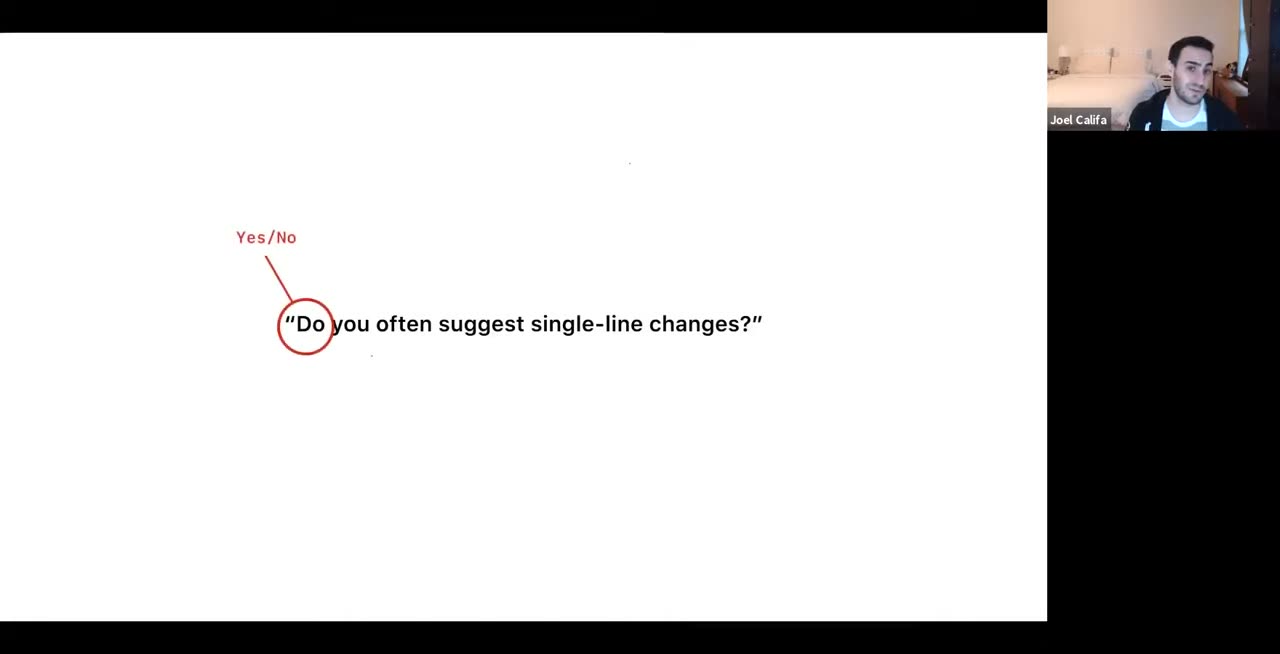
0:00 Okay cool. So hey everyone welcome to Lean Research Tips. We're gonna start by 0:08 going over a case study. So how doing lightweight research augmented the 0:14 suggested changes project. Ideally this is going to communicate how powerful 0:18 lightweight research can be in your own project. Then we're going to cover in 0:22 depth how I go about research. And when I say in depth I mean like really in 0:27 depth. We're going to talk about everything from how I build research 0:30 plans, interview scripts, and prototypes for usability tests. How I go about 0:35 getting people to talk to talk to for your research sessions and how I 0:41 actually conduct those sessions. Throughout this I'm going to sprinkle in 0:45 a lot of practical tips for running your own research. And before we finish you'll 0:50 know why this interview question do you often suggest single line changes is 0:55 actually really bad and how to make it better. So if I'm being honest I kind 1:02 of went overboard with the slides and I have like 180 slides or something. So 1:07 there's a lot here and I included almost every piece of advice I could think of 1:11 to make most aspects of quick research really easy for anyone even if you're 1:15 just getting started. So if it gets overwhelming remember that this talk is 1:20 being recorded and I'll also be posting the deck later so don't worry about 1:24 missing something. If you have any questions please post them after the 1:28 talk in the Design Research Slack channel and I'll try and answer. Okay so with 1:34 that let's get started with this case study. How research supported suggested 1:38 changes aka why research is dope and why you should do it. So when we started the 1:44 project I initially put together four distinct design models for how we should 1:50 implement suggested changes. I hope everyone's used the feature by now. This 1:54 is kind of where it started. Out of the four my favorite option put an actual 1:59 component in your message box which you could then click into like this to 2:04 interact with and then interact with the code directly. This seemed to me like the 2:08 most straightforward and usable direction so this is what I recommended to people. 2:15 My least favorite option out of the four which I only really included for 2:19 posterity because it was weird and novel was to use markdown to denote the 2:23 changes in code. I mean spoiler alert for people who use this like this is what we 2:28 went with. So it would result in the same kind of suggested change component once 2:32 you submitted the comment but the experience of creating a suggestion was 2:35 really janky. The line context wouldn't be as clear, 2:40 indentation would be tricky to work around, and any mistake in syntax could 2:45 break the entire suggestion so it was it was a rough design. So of course this is 2:49 what we decided to build because using markdown meant we wouldn't have to 2:55 invest in building out the tech to show advanced components in what's a 2:59 historically text-only box. It also meant that we wouldn't have to build anything 3:04 extra to let integrators read or add suggestions. It all worked out of the box. 3:09 On top of that we also decided to scope the feature to single line suggestions 3:14 when we realized multi-line would also take too long to build and had a lot of 3:17 dependencies. So all three of these things would make it so much easier for 3:22 us to get an MVP out in front of users. So as a product decision it made a lot 3:26 of sense but that didn't mean the experience was any less janky or that I 3:31 was happy with it. So I was still extremely uncomfortable with our design 3:37 choice and was convinced that it would fail in testing which brings us to our 3:42 first research phase. So the first test was a short interview and a simple 3:47 InVision prototype which looked something like this. All that is are a 3:53 series of images with clickable spots so that a tester can move through it. This 3:57 entire thing took me like maybe two hours to make from start to finish. 4:04 That's basically it. So I conducted a test with only five users the first one 4:10 which brings me to my first tip here which is research does not have to be 4:15 this huge thing. Conducting with eight to ten users is usually enough to 4:20 uncover almost all of the issues with a design after which you'll see diminishing 4:25 returns. So if you're putting research off right now because you're anxious 4:28 about finding enough people and being rigorous enough just start with a few. 4:32 Some research if it's done right and by the end of this presentation you'll 4:37 know how to do it right is much better than nothing. So this super simple test 4:44 taught us a lot within just a week or so from the first designs right. I'll save 4:49 I'll save you most of what we learned but the big things were people wanted to 4:54 apply multiple suggestions at once for a cleaner commit history. As we suspected 4:59 the mark then was janky but people actually understood it well enough to 5:03 use and got the hang of it really fast. And again as we suspected people wanted 5:08 multi-line suggestions but there was actually enough value in single line 5:12 suggestions that they would use it. So the thing I was most worried about the 5:16 bunch of things I was most worried about were actually okay so this could work. 5:20 And this brings me to the next cool tip. So research is known to help you 5:26 invalidate things and pivot but it can also give you a lot of confidence to 5:30 move forward. If I hadn't conducted those initial sessions I'd have been skeptical 5:34 for way way longer instead of committing to this direction for V1 and focusing on 5:39 what was important. So we learned a lot more in these early sessions and we 5:44 iterated on those things which resulted in a much better flow and a better 5:47 design overall. My engineering team Rainbow Skate was already working on 5:53 building out the MVP alongside the research. So it only really took us about 5:57 a week or so to have updated like an updated functional proof of concept 6:02 already behind the feature flag. And this proof of concept served as the 6:06 testing prototype for our second research phase. We iterated on the 6:10 research script and conducted a test with six users this time. And again we 6:14 learned a whole lot a sample of which is the diff syntax we were using was clunky 6:19 and confusing. The way we were rendering the suggestion component didn't feel 6:24 like a real feature and we gained insight into how people would actually 6:28 use the feature for the first time. So we iterated on a bunch of this, simplified 6:32 the syntax and moved on to our next research phase aka a staff ship. Right 6:39 this taught us much more about real world usage because people were using it 6:42 in their day-to-day now and it let us focus on ironing out a lot of the 6:45 details and and supporting a lot of edge cases. So we added line numbers to 6:51 improve context and we improved how diffs were rendered more granularly. Which 6:56 brings us to our latest research phase which is releasing it to everyone at 7:00 universe. I don't see shipping as the finish line for features but rather an 7:05 opportunity to learn more and to iterate. So we made sure to track granular usage 7:10 and then collect feedback from users. So far I can't say we've learned anything 7:16 like really astounding that we didn't know but we did confirm what people want 7:20 most from this feature that it doesn't do yet. So for over 3,000 survey results 7:25 the two things people want more than anything are multi-line suggestions and 7:29 the ability to apply multiple suggestions at once. And if this sounds 7:34 familiar to you it's because we learned that months earlier from our first 7:38 quick and dirty prototype with five people. And as a result we're already 7:41 working on multi-line so EE repos is working on multi-line comments. And we've 7:46 already shipped the ability to apply multiple multiple suggestions at once 7:50 just earlier this week with back suggestions. The designs for it were 7:54 done before we even shipped a DA. So at a high level it's the same process 7:59 repeated over and over slowly growing in fidelity while narrowing towards a 8:03 shippable state. So you make something you learn from it and then you make a 8:07 slightly better thing. And throughout this very lightweight and easy research 8:12 helped us build confidence in our direction. At the end there we knew 8:16 that we could ship this and that most of the audience would find it valuable. 8:20 Before the research we like most certainly did not know that was the case. 8:23 It helped us pinpoint early on what would be the most requested feature. As a 8:29 result one of those features was shipped this week. It helped us make the feature 8:35 more intuitive and enjoyable and helped us make the feature more usable for real 8:39 world use cases. And all of this was accomplished with just a little bit of 8:44 time and thoughtfulness and it only took about six weeks from project inception 8:48 to staff ship. This is from project inception not from that first prototype. 8:52 From the first time we like had a kickoff to that staff ship it took six 8:56 weeks including two rounds of research. So like I said research 9:01 doesn't have to be this big scary thing that blocks ships. Low-touch research can 9:05 work alongside engineering and complement and augment the product development 9:10 process resulting in better decisions and more successful ships for not really 9:14 that much investment. It's what let us ship this instead of this. So rad instead 9:21 of gross. It's pretty good. So I hope that gave you an idea of how powerful and 9:29 easy research can be. For the rest of the talk I want to talk about how I go about 9:34 actually doing the research. We're going to cover how to build research plans, how 9:39 to source users for this plan that actually talk to them, and how to run the 9:43 testing sessions themselves. I don't want any of this to come across as the 9:47 absolute right way to do research. It's just how I've done things in the past and 9:52 the GitHub and where I've seen success. But you know it's good stuff so pay 9:56 attention. Every research project starts with a research plan. This is the thing 10:03 you should have before you talk to anyone, right? And every research plan 10:07 starts with one crucial question, which is what do you want to learn or validate? 10:13 The research is built around whatever you want to learn, not vice versa. So to 10:19 illustrate this I'm going to take an example from work in progress pull 10:23 requests, which is a project I've worked on early this year and is now resurfacing 10:28 in a different form. At the time the goal of the project was to reduce noise for 10:33 co-donors by defaulting pull requests to a WIP state. Notifications would not be 10:39 sent out to reviewers until the PR was taken out of this state and put into a 10:44 ready-to-review state. That meant that reviewers wouldn't be 10:48 notified until the PR was ready to be seen. So in this stage you generally want 10:54 to list all of your hypotheses, all of your assumptions, and all the gaps in 10:58 knowledge that were you. Now everything that you don't know for sure is an 11:02 assumption, even if you're very confident in your get. And the point of research 11:07 then is to fill those gaps in knowledge and to validate or invalidate your 11:11 assumptions and hypotheses. So in the case of work-in-progress PRs, there were a few 11:16 things I was interested in. This is a small sample of the questions I wanted 11:22 to answer. So one, you know, is this a real problem for people? In what 11:29 state do people generally open PRs? Does jumping back to WIP status ever make 11:34 sense? Does defaulting to WIP status make sense? How do people feel about having 11:40 to manually trigger the review state? And what are people's expectations for 11:44 receiving notifications at each stage? We had like ideas for what might happen, but 11:48 we didn't really know. So this this is kind of what we wanted to answer there. 11:53 And note that these questions are really our questions. They're not the same as the 11:59 interview questions we'll see later on that we'll be asking people. Interview 12:03 questions and usability tests and any research method exists solely to answer 12:08 these research questions. Okay, so once I figured out the right questions, I can 12:13 tailor my research plan to then answer these specifically. And I can also now 12:17 gauge my plan's success as I'm going through it by asking myself one thing. 12:22 How well is it answering these specific questions? Okay, so now that I have my 12:28 questions, how do I answer them? What do I actually do? Well, there's a lot of ways 12:32 to actually go about it. Let's talk about some research methods people use. So in 12:38 Michelle Benatucci's Brown Bag, she listed many types of research. Each of 12:43 these is best suited for something specific. If you take ethnographic field 12:48 studies, they're great for building an understanding of actual workflows. Those 12:52 are when you actually go to a person's workplace and sit next to them and see 12:56 what they're doing and ask questions. Card sorting is really good for designing 13:02 intuitive information architectures. Participatory design, when you like 13:06 actually work through a design jam or something with one of your users, is good 13:11 for uncovering needs and mental models and for creating, generating creative 13:15 ideas. And focus groups are good for nothing. Never do focus groups. They're 13:21 bad. I can tell you why later. My two most frequently used methods, at least at 13:27 GitHub, are user interviews and usability studies. User interviews are 13:32 great for building high-level knowledge, for figuring out a general direction, and 13:36 for sussing out real answers without biasing people. Usability studies are 13:41 great for figuring out whether specific choices you've made are intuitive. And I 13:46 often use both methods in tandem, and that's what I'll focus on today. 13:53 I think deciding on a research method really comes down to one simple rule of 13:57 thumb, which is what can you ask or put in front of people to get the truest 14:03 possible answer? True here meaning unbiased and based on reality. What is 14:08 the most truthy answer? Okay, so let's take our questions and see which methods 14:17 suit them best. I'm gonna separate these into three categories. First, high-level 14:22 questions that have less to do with our specific implementation. So some questions, 14:28 other questions that could fit into this category might be what are people's 14:31 current workflows, how do teams collaborate, and how do people think 14:36 about GitHub, etc., just very high-level general questions. And then low-level 14:42 questions, these generally have to do with whether specific things about our 14:45 designs interface or flow or nomenclature work for our users. And finally, 14:52 the in-between mid-level questions that could kind of go either way. They have to 14:56 do with both general workflows and with how we've implemented things. So like I 15:02 said, the high-level questions are usually best answered with user 15:04 interviews. The low-level questions are a great fit for usability testing with 15:09 prototypes. And then the mid-level questions can kind of go both ways. And 15:13 I'm going to show an example of one of these questions to see it in action. So 15:18 this question, "Does jumping back to WIP status ever make sense?" As I said 15:23 earlier, our idea was to default a PR to WIP status. People would manually trigger 15:29 reviews when they were ready and move it to in-review status or ready status. In 15:35 the original design, we let people move a PR from that ready status back to WIP 15:40 status if they wanted to. And we just included this. We weren't sure whether it 15:44 was genuinely useful or if it just complicated the feature by not having it 15:48 only move in one direction. So we wanted to answer whether it actually made sense. 15:52 Now with two research methods we've discussed, I can think of several ways to 15:56 answer this question. First, I could just show people a prototype that puts them 16:02 in the situation and then gauge their reaction, right? What happens when you 16:06 actually have to do this in a prototype? Or I could ask them relevant but general 16:11 questions in a user interview like, "Can you run me through the life of an average 16:15 PR and just notice if they're telling me it ever goes back to a kind of WIP 16:19 state?" "Tell me about a recent PR that went through code review. What happened 16:22 next? Like do they have to stop and work on it or is it a constant review?" Right? 16:27 Both of these method usability tests and user interviews are valuable and they 16:32 both give you a slightly different angle on your original question. So I don't 16:36 think you have to choose one or the other but it can get tricky if you start 16:39 with a usability test. So if I show someone this, this is just like a screen 16:45 from one of the prototypes that lets people jump back and forth between WIP 16:49 and READY by clicking on that pause review button. If I show people this, they 16:55 will want it 100% even if they don't need it. And that's because people love 17:00 shiny things, which is a thing I learned over and over again. So if there's a cool 17:05 new feature that you show them, they're far more likely to find a way for it to 17:09 be useful to them than realize that it's not. Once they see it, they'll be biased 17:13 towards your existing implementations. They'll know about this kind of review 17:17 and WIP thing and it'll affect all of their future answers. You just you can't 17:21 go back once you show them something. So I tend to start with high-level user 17:25 interviews and then get more information and a different angle on things via 17:30 usability tests. So kind of like this. 17:35 Another way of thinking about this is starting with the least specific, least 17:39 biasing questions and methods and ending with the most specific. This way you have 17:44 the highest odds of getting good data throughout your entire session. So WIP PRS 17:50 is actually a really great example project from this because one of the 17:55 other questions I wanted to answer during this research was whether WIP PRS was 18:00 actually a real problem, right? Whether it solved a real problem for people, 18:04 namely reducing noise for reviewers. And the twist was like, no, it really wasn't. 18:11 The information I was getting during user interviews was that while most people 18:16 felt their notifications were unwieldy and they got like way too many of them, 18:20 PRS that weren't ready yet, like WIP PRS, didn't really account for that much 18:25 noise. So our entire premise for the project was wrong and this was really 18:29 useful to learn. Curiously, when I showed people the prototype, they got really 18:34 excited, right? They really loved the prototype, even though not 10 minutes 18:38 before they were telling me how this wasn't really an issue for them. So 18:41 luckily, at this point, I already had unbiased answers from the user interview, 18:46 but if that user came later, sorry, if that interview came later, these users' 18:51 answers would be colored by their excitement for this shiny new thing. And 18:54 then maybe I'd only find out that this was the wrong thing when we were in GA. 18:59 So like I said, start with the most vague questions and move towards the most 19:03 specific. So two last things to take away from this before you move on. First, as 19:08 you can see in this example, all of your research methods are part of the same 19:12 research plan. What you learn from them is not mutually exclusive but rather 19:16 part of the same whole. So think about your research holistically, where each 19:21 research method is just like a tool in your belt. They all work in tandem to get 19:25 you the most complete understanding possible for your research question. And 19:29 because of this, the order of your research plan is just as important as 19:33 its contents. Thinking about the research holistically means being really careful 19:38 with what you show and tell people along every step of the way. So most of my 19:43 projects are built this way. It's just a regular like Dropbox paper doc with how 19:48 I'm laying out my research plan. First, I define what I'm trying to learn and then 19:54 I define who I need to speak to in order to learn it. Then I build a session 19:58 outline that includes any number of research methodologies. These aren't 20:03 separate but rather parts of the same script and I have this for every single 20:07 project I do. So a few examples are work in progress PRs. I have validate these 20:11 things and then I have intro questions scenarios and outro. Questions are user 20:16 interviews, scenarios are usability tests. Repotemplates also answer these 20:22 questions, talk to these people, here's the script. And then suggested changes 20:26 again. What do we want to validate? Who are we talking to? Interview script, 20:30 usability test script. They might have different phrases but it's all the same 20:33 thing over and over again. So with that let's talk about actually populating 20:39 those interview scripts with question. To ground this I'm going to focus on an 20:43 example from the suggested changes research project. So remember this 20:50 question from before? How it's bad. Do you often suggest single line changes? So when 20:57 we scope the project I wanted to know whether single line suggestions were 21:01 actually enough for an MVP or if we'd end up releasing something useless. But if I 21:05 wanted to if I asked the user this question right off the bat I'd be 21:09 biasing them in several ways and we're going to analyze this question. First 21:13 it's a yes/no question. Yes/no questions aren't really effective in interviews 21:19 because they limit what you can learn. They don't give people the opportunity 21:22 to dive in and surprise you. Now open questions will always always result in 21:28 better more insightful answers but more importantly people generally and 21:32 annoyingly try to give you the answers that they think you want. A yes/no 21:38 question will most often result in a yes and even if that's like a very weak yes 21:42 I guess you you don't really have a long way a good way of knowing it. Second the 21:48 phrase do you often and do you often suggest single line changes puts this in 21:53 the realm of a hypothetical which runs their answer through a filter of what 21:58 people think they do versus what they actually do. If there's one thing you can 22:02 take away from all of this presentation it's that those two things cannot be 22:06 further apart. If you're gonna ask a hypothetical question you'll get bad 22:10 data nine times out of ten so always try and ground it in reality. Third the 22:16 question is assuming that people you're talking to already suggest changes. The 22:21 expected answer is that they do suggest changes so it's just that much harder 22:24 for them to say that they don't. And I'm also giving the interviewee too much 22:29 information about what I want from their answer by mentioning single line. Now 22:34 they're thinking about it the same way I'm thinking about it and we'll answer 22:38 with that in mind. Now this friends the entire rest of the interview for them 22:42 with single line changes in mind which means you may not get as much insight 22:46 into other types of suggestions. Like remember what I said about the order of 22:50 the interview being really important you should start with the least specific 22:53 questions and end with the most specific. The moment I mentioned single line 22:56 they'll be thinking about single line and try to answer with that in mind. And 23:00 then finally this is a very scoped question right do you often suggest 23:05 single line changes even if the answer to that is yes you still don't really 23:09 have any information about the relative importance of single line versus 23:13 multi-line changes right. They might say like yeah I suggest a lot of single line 23:18 changes but honestly like that's maybe a tenth of what I suggest multi-line 23:22 changes. You haven't figured out whether single line is truly enough so there's 23:26 definitely a better way to get at this information. First I might gauge how 23:32 often they review code right putting them in the context I want them in. So 23:38 how often do you review code if at all? The if at all here provides them an out 23:43 to say that they don't. This is a small detail but it's useful in ensuring the 23:48 answer isn't biased. Remember what I said about people wanting to please you as an 23:52 interviewer? If you give them more options to say no to you that'll result 23:57 in truer answers. Then I can check whether they've offered suggestions in 24:02 the past. So like in that context have you ever offered a suggestion on someone 24:06 else's code? Right if they have I know I haven't biased them into an answer and 24:11 if they haven't I know to pivot my line of inquiry. Note that have you ever is 24:15 better than do you because it frames the answer around things they've done versus 24:20 things they think they do. So as we've covered hypotheticals are bad. Once I 24:26 know they've offered suggestions I can dive into the kinds of suggestions 24:29 they've offered. What kinds of suggestions have you offered? And saying 24:33 kinds of makes this a fairly fuzzy question. Right they're in control. I'm 24:39 not leading them to any specific answer. I'm not defining what a kind means to 24:43 them. So I'm gonna get a very true answer for them. And I can learn a lot here. I 24:48 can learn like do they care more about typos or style changes or larger 24:52 refactoring? Are the suggestions that they care about usually single line or 24:56 multi-line? Are these suggestions in one continuous range or in a bunch of 25:02 different sites? And I can ask follow-up questions just naturally based on the 25:07 answers to clarify what they mean. I can also ask that same question again in a 25:12 different way. And this time ground the answer in reality with the word 25:16 specific. Like tell me about a few specific changes you've suggested 25:20 recently. This helped me start building a deeper and truer understanding by 25:23 tapping into real-world scenarios. So it's useful to ask a question from a few 25:29 different angles to see if you get different answers and a more complete 25:33 understanding. For instance also in the with PR research project I asked about 25:39 the experience of reviewing another person's code and I also asked about the 25:43 experience of someone else reviewing your code. So I asked the same questions 25:47 but semantically they were slightly different and they resulted in very 25:50 different answers and really interesting information. So what you need to 25:54 remember here is I'm not just trying to check boxes. I really want to learn as 25:58 much as I can and I think truly effective research is driven by 26:02 unrelenting curiosity. So I saw this tweet recently relevant to this. So 26:08 today's lesson about asking the right question to get meaningful data brought 26:11 to you by a four-year-old. Me, should I put a banana in your lunch today? Yeah, I'm 26:15 sure. They are healthy and I'm supposed to bring healthy food. Me, will you eat it? 26:19 Hey, I'm definitely not. I don't like bananas. So make sure you're asking enough 26:24 questions to get at meaningful data and keep making sure that the data you 26:28 are getting is actually good by asking follow-up questions. Now finally, I can 26:34 base the last question of this interview on the interviewees prior answers. What's 26:39 important is very subjective. So if I say of the ones you listed which kind of 26:45 suggestions is most important and why, I'm tapping into basically what is a 26:50 free passing to how someone thinks. So this helps me understand what different 26:55 types of users value and why. 27:00 So all of these questions together provide me with a more in-depth and 27:04 thorough understanding of what the first question was getting at. They start vague 27:09 with how often do you review code at all and then increase in specificity based 27:13 on the answer. Now we're talking about suggestions but still not single line. 27:16 There's less danger of biasing the interviewee because I haven't told them 27:20 what I'm looking for which is, is single line changes enough? And this also means 27:25 I can be more confident in the answers I'm getting and with the added bonus of 27:29 building a lot of important context for their answers along the way. This is what 27:35 we learned here. First, design your research questions, sorry, your interview 27:39 questions so that they don't leave the user in certain directions. Multiple 27:44 questions can build on each other and can result in a better understanding. Open 27:48 questions are infinitely better than yes and no questions and then most 27:54 importantly here, never ask people what they want or what they might do in a 27:57 hypothetical. So now it's just a matter of building a longer script that answers 28:03 most of your research questions but you basically know everything you need to. 28:07 So next up are usability tests. Usability tests put a prototype in front of your 28:14 users and have them go through it. With these tests you don't have to worry 28:18 about bias as much. What you're trying to understand is whether things about 28:22 your design implementation work. So are they intuitive? Do they feel good to 28:27 people? Do they work with existing workflows? What are edge cases that you 28:32 haven't thought of? By the way, that's one of the reasons why having a diverse pool 28:36 of users to interview is really, really important to get more edge cases, to get 28:40 more opinions. I'm not going to spend a lot of time on usability tests. I'll just 28:44 give you four tips and we'll move on to how to find real users to test with. 28:48 First, build the fastest, most relevant thing possible to test what you need to 28:54 test. Your test prototype, like your interview, exists mainly to answer your 28:59 research question. Any prototyping tool works here, including code, 29:03 including paper, if that's fast for you. I generally use Sketch and Envision here 29:08 but Figma has all of this stuff built in. This prototype doesn't need to be robust. 29:13 Not every button needs to work. You can just focus on the main flow that will 29:17 answer your questions. A happy path, as some people say. That doesn't mean your 29:23 first prototype needs to be made of ugly wireframes. The tooling design systems 29:28 has put together, makes it really easy to put together a high-fidelity prototype 29:32 in less than a day. And I actually think higher fidelity gives you a better read 29:36 on people. Some people disagree with that but that's my take. Just keep in mind the 29:40 limitations of your medium. If interactions like typing are limited, if 29:44 you can only click on stuff, then you're getting a limited view of how it'll be 29:48 used. So my prototype from earlier is literally just six screens with almost no 29:53 change between them. It took me two hours to set up from scratch and I learned so 29:57 much by doing it. But if you look at this, you can see the text here and what 30:01 happens when you click accept a suggestion is just images. So I don't 30:06 know what they're actually typing. I'm not getting any insight on what they 30:09 might, they might use for a commit message or what they might type in a 30:13 message box. So it's limited but it did answer all the questions I had at the 30:17 time. So that's the first thing. The more confident you are and the closer you get 30:26 to shipping, the higher prototypes fidelity and functionality needs to be. 30:29 But the bottom line here is don't spend too much time on this. It really doesn't 30:34 need to be perfect. My second tip is to put together a test script that makes 30:39 your life easier later. So as you flush out your prototype, figure out what the 30:44 distinct steps are in the flow and then figure out what you want to learn on each 30:49 step. This is what I used to guide me on one of the suggested changes usability 30:55 test without prototype you saw a second ago. My session script also includes a 30:59 link to the prototype so you don't need to spend time looking around it around 31:03 for it during a session. I've adopted a trick over time to title each step by 31:08 what they're supposed to be doing so I don't forget. This is really useful. So 31:13 instead of comment screen, parentheses, no text or something, I called a step 31:19 before they write common text so that I remember that they're supposed to be 31:23 writing common text right now if they're doing something else. Under each step I 31:27 have a list of questions. So some of the questions I asked verbatim, others are 31:33 really only there for me to help steer the conversation and to help better 31:36 answer my research questions. So like, hey, what are they doing right now? How 31:40 are they thinking about it? Are they like stopping? Is this confusing to them? Stuff 31:44 like that. The next tip is less of a tip and more of a promise. In my experience, 31:51 usability tests surprise you a hundred percent of the time. You're always gonna 31:55 learn something new that you didn't expect and you're gonna learn more than 31:59 just what's in your research questions. It might be a totally new thing and it's 32:02 gonna be awesome. But some of it's gonna be a bummer. So this is what a usability 32:08 test feels like sometimes. People are gonna completely misunderstand things 32:12 about the feature or product you're showing them. They're gonna ignore things 32:16 you think are obvious. They're gonna use things in ways that are like honestly 32:19 confounding. And you'll be tempted to think, oh, this person in front of me just 32:23 doesn't get it. Which brings me to the last tip. It's not them, it's you. Research 32:30 is only effective if you're willing to listen to it and learn from it. And 32:34 initially when you're just getting started with it, it does suck when your 32:37 ideas don't work out the way you thought they would. But if you get in the habit 32:41 of testing early, because you haven't invested much yet, I promise you'll start 32:46 getting addicted to it. Like these days I can't wait to find out all the ways I'm 32:50 wrong so I can start being right. Cool. So that's it. We're done with usability 32:55 tests. Let's move on to actually getting users for our research. How to source 33:00 users. 33:05 So by this point, you should already know who you need to speak to. I kind of 33:11 breezed over this earlier and we're not really covering this much. But a big part 33:15 of putting together your research plan is figuring out who your product or 33:18 feature is for. Like yes, we all make products for developers, but some of our 33:23 features might be primarily used by a subset of those developers. So maybe this 33:27 product or feature is for students or hobbyist developers. Maybe it's 33:31 specifically for engineering managers or leaders. Maybe developers who specifically 33:36 use code generators or ones who are currently looking for jobs, right? That's 33:40 not every developer. So each feature will definitely be used by engineers of all 33:45 skill levels and from all over the world. So it's worth diversifying your user 33:52 pool. The more diverse it is, the less surprised you'll be down the line. And 33:56 there are more than enough stories of tech product launches backfiring because 34:01 the company didn't include a wide enough range of voices and research, but instead 34:05 showed it to like a bunch of tech pros or something. Ideally, the pool of people 34:10 you're interviewing is representative of GitHub's diverse user base. But more 34:15 importantly than that to me is it's also just the right thing to do. And I like to 34:19 think that we try to do the right thing. Okay, so once you know who you want to 34:23 talk to, put together a simple form to start gathering people to reach out to. 34:28 I've just been using Google Forms for this and it's perfectly fine. You can too. 34:32 I usually gather really basic information such as name, email, GitHub 34:38 username, company, role, and time zone for scheduling purposes. I don't want to know 34:43 what country or location they're in necessarily. Just like a cool fact about 34:49 GitHub is we don't really gather that anywhere. So if we get subpoenaed by the 34:53 government, we can't give them anything. And that's just really cool. I also ask 34:58 how long they've been coding and how long they've been coding professionally, 35:02 if at all. This lets me reach out to developers with a variety of seniority 35:06 instead of just whoever I happen to talk to. And sometimes I ask follow-up 35:12 questions that are relevant to my specific research such as, in this case, 35:16 whether they contribute to open source. And so then I know they're part of 35:20 open source communities. One awesome tip Michelle gave me from her time at Lyft 35:25 was to ask questions, open questions, with the sole purpose of figuring out 35:30 whether someone is going to be insightful in an interview. So for my 35:33 recent research on repo templates, which is a tongue twister, I just asked what 35:39 people's favorite framework was and why, which is another tongue twister. If 35:45 someone just says react to this question, then I know talking to them 35:50 is probably not going to be a great use of my time. But if they give me kind of a 35:53 longer insightful answer about why they care about or what they care about in a 35:57 certain code generator or framework, I assume they'll also be insightful in 36:02 person. So this question isn't really here for me to segment people with. It's 36:06 really just for me to segment people based on whether they provide an 36:11 insightful answer. And that's been really useful, honestly. So I have my research 36:17 plan, I have my form, and all I need are people now. Billy Griffin and I are 36:22 currently working on creating a new powerful and unbiased sourcing channel, 36:27 which, you know, should be done at some point this year. But for now, we generally 36:32 have to settle for what we have access to. And more often than not, that's Twitter. 36:36 So sourcing through this hell website will result in a pool of interviewees 36:43 that just is not representative of GitHub's user base, most of which I'm 36:47 assuming is not on Twitter. Sourcing this way, you're also less likely to get the 36:52 tweet very far away from your own social circles, so you'll end up with people 36:56 fairly similar to you. So it's not ideal, but it's what we have right now. So just 37:01 keep the drawbacks in mind as you're doing this. It's fine to source via 37:05 Twitter for now. One tip Phoebe Esparito gave me recently is that mentioning 37:12 GitHub in this tweets can bias towards people who are already fans of GitHub. 37:16 Right? If I say GitHub, people who notice GitHub are more likely to answer. Again, 37:22 this isn't super representative of our user base, most of whom probably don't 37:26 have GitHub stickers on their laptops. It also excludes a lot of people who could 37:31 be our potential users, but don't currently feel it has to do with them. So 37:35 maybe it's people who only use Bitbucket, maybe it's beginner developers who only 37:41 use Glitch, right? There's a lot of people who could be useful to our research that 37:46 we're just excluding by mentioning GitHub. So moving forward, I'm trying not to 37:49 mention the company name specifically in any of my outreach. And since you're 37:55 trying not to bias people, you don't actually have to tell them what the 37:58 research is about. So here I'm researching suggested changes, but I 38:02 only ever talk about code review so that none of their answers are colored by 38:06 their expectations. If you do code review, then suggested changes is 38:10 relevant to you. And I can ask you questions about it without, without you 38:13 trying to answer them. Another outreach channel that we have is the open source 38:19 maintainers repo. Open source maintainers have a very different use case 38:23 for GitHub than most other users. So if your project is relevant to those 38:27 maintainers, or would even just benefit from a maintainer's point of view, you 38:30 should definitely take advantage of this. If you haven't used this repo yet, just 38:34 talk to Brian Clark first, and he'll tell you what to expect and how to use it, but 38:39 generally it's self-serve. Once you've decided on which of your form 38:44 respondents you want to reach out to, it's fairly simple. So I just sent out 38:52 this email. And I can, you don't have to read this, I can send you the copy verbatim 38:56 if you want, but the main points are it's friendly, it's not like super cold and 39:01 professional. It makes people sign up for our pre-release agreement first, which 39:06 serves as our NDA. It shows people how to schedule a session on my calendar so 39:11 that it's more self-serve and they don't have to work for it. And it gives them a 39:15 link to install zoom beforehand so things are easy on the day out. And that's 39:19 really it, right? You could phrase this any way that you want. I just personally 39:23 send it out using like manually using Gmail, but if you want to email a lot of 39:27 people at once and you want to get fancy you could just use a mail merge tool or 39:31 something. It doesn't matter. For scheduling I use Calendly. It's really 39:36 easy to understand. You just set up time blocks that work for you on your 39:39 calendar and then people can invite themselves essentially to schedule time 39:44 with you when they see fit if you send them the invite link to the event. Once 39:49 they do, it's immediately on your calendar. I hear some people are starting 39:53 to use Meeting Bird, which is similar and also free. So this sounds simple, but 39:59 really our research life was miserable before we started using this. So this is 40:02 gonna save you so so much time in scheduling user interviews, which 40:07 are one of the biggest pain points. It's okay. That's done. Okay, so now we have all 40:15 of our ducks in a row. We know almost everything. We know how to figure out 40:18 what to research. You know how to select the proper research methods and how to 40:22 use them and you know how to get real users signed up for your sessions. All 40:27 that's really left is running the sessions themselves and that's actually 40:30 pretty easy. First let's talk about taking notes. So one of the best tips I 40:38 can give you is always always invite a separate note-taker to join your research 40:43 session. A note-taker lets you focus on the research session itself and the 40:47 person in front of you instead of on the documentation of it. I've tried to do both 40:51 simultaneously many times and it's never as good as being able to focus entirely 40:56 on the person in front of you. The other benefit of this is that you get to 41:01 include your stakeholders. So at GitHub I've had basically every engineer, 41:06 engineering manager, and product manager I work with sit in on at least one 41:10 research session on the thing that we're working on together and more often than 41:14 not they really enjoyed it because it's a privilege to see someone using the 41:19 thing that you're making. It's way more of a visceral experience and more 41:24 rewarding than just seeing a stat go up on a dashboard somewhere. So as a result 41:28 they really appreciate and trust research more than they would have 41:31 otherwise and you can often hear them referring back to research insights 41:35 which is fantastic and does a lot of my job for me. So don't try and do this 41:39 yourself even if it's a little more investment to have two people in a single 41:44 interview I promise you that it's worth it. I want the experience of research to 41:51 be a positive one for everyone involved for me for you obviously and also for 41:57 my interviewees and mostly my note takers because they're spending time and 42:00 helping me out with this. So one optimization I've made recently is using 42:06 Dropbox paper templates for my interview scripts. This way I can send the note 42:11 taker a link. They click that create dot button in the top right and then they're 42:16 ready to go with predefined areas for notes and all of the questions. This also 42:20 means that all of my notes will be in the same format. So Dropbox paper 42:24 templates make things easier for your note takers and more consistent for you. 42:27 It's it's a really awesome optimization that's made things really easier for me 42:32 and for my note takers. And another cool thing is my research scripts are ever 42:39 changing right based on how I feel in research sessions. So if you notice that 42:44 you regularly make the same stake like forgetting to record a session you can 42:50 put all caps to say hey Joel start recording so that you never forget to do 42:54 that again. Sometimes I also add something next to questions saying like 42:57 don't say this word right if I find myself naturally biasing people over and 43:03 over. So you can also put that those kind of things in your notes. And finally the 43:08 more notes the better right. It's easy to go it's easier to go through notes after 43:13 the fact than it is a video or recording but if they're ultra succinct you might 43:17 miss a lot of valuable insight. So I generally asked my note takers to gather 43:21 as much stream of consciousness as possible and if something jumps out to 43:25 your note taker they can highlight it in bold. Let's talk about my setup for actual 43:30 interviews. Having a big screen is super useful and I always prefer to be plugged 43:36 in when doing interviews so I can keep track of everything. This is generally my 43:41 setup. I have my script to the side I use this as a rough outline for what I 43:45 should cover and I can like look at what I've covered already. Zoom is front and 43:49 center so that I'm always focused on what's happening and that it looks like 43:53 I'm staring directly into the camera. I have slack under it so that my note 44:00 taker can surface important questions or things they've noticed mid interview. I 44:04 have my notes to the side I'll talk about what I do with those in a second 44:08 and then I also have a browser for quickly referencing things that the 44:13 interviewee tells me about. Right if they mention a new technology or something I 44:17 want to look it up quickly and see that we're on the same page. So this is how 44:21 that might look. Zoom is really great for user interviews because you can see 44:26 someone's expression as they share their screen. In real interviews the zoom 44:30 window for me is usually much larger than just to fit that into this cool 44:34 slide. I also ask my note takers to turn off their cameras and mics so as not to 44:40 make the interviewees self-conscious. So okay now that everything is set up we're 44:45 gonna start the session and the beginning of these sessions is really 44:49 just a few check boxes. First before every session make sure that you know who 44:55 you're going to be talking to. Go over their forum responses, go over their 44:58 GitHub profile, do your due diligence and then make sure that you and your note 45:02 taker are on the zoom five or so minutes before the session starts and that your 45:06 workstation is set up. I haven't always done this and when I don't and I join 45:10 like a minute late it's always a scramble to get everything set up and it 45:13 seems really unprofessional. Second don't jump straight into the interview. Instead 45:19 like introduce yourself in your note taker, make some small talk, the calmer 45:23 your interviewee is the better the conversation will flow and the more 45:27 you learn. Before you start asking questions ask them if they're 45:32 comfortable with you recording the session for internal purposes. If they 45:37 aren't you should respect that. I ask this every time and honestly there hasn't 45:41 been a single person who said no. You don't always need these recordings but 45:45 it can be really useful to get more context for your notes later on and it 45:49 can be powerful to show stakeholders who weren't there at the time real people 45:53 using your features in certain ways. And finally here also before you start 45:58 remind the interviewee that what you're discussing is confidential. They've 46:02 already signed an NDA but it's always worth reminding someone especially if 46:06 you're not questioning can reveal company strategy in any way. That's 46:10 really all there is to it. You've started your session without a hitch just follow 46:14 those four four check boxes and honestly if you forget some of these like don't 46:18 sweat it I always forget something and it's always ended up being okay maybe I 46:22 don't have a recording and now I have a new note in my script or whatever but 46:25 you know it's life. Moving on here's some tips for running the user interviews. So 46:33 first your questions don't need to be asked in order. Instead let the question 46:39 flow naturally but even if you've designed the perfect interview script 46:42 the conversation will always take you instead on that kind of winding path. So 46:47 what I like to do is just let my curiosity guide me and if an interviewee 46:51 said something I think could be valuable I explore it just pay attention to what 46:56 you haven't covered yet and make sure to circle back. If an interviewee goes off 47:02 on a tangent learn how to gently and respectfully guide them back. So all I'll 47:07 say is that developers can be fairly intense people and I mean this in the 47:12 best way possible for the this in the room but long when the tangents are not 47:17 a rare occurrence. Usually I like to let people finish their tangents and then 47:22 ask another question to redirect them back to what I need answered but 47:26 sometimes tangents can go on and become less productive so if you see that you 47:30 aren't learning much anymore gently say their name like hey hey friend hello and 47:36 until they stop and then smile and say something like sorry like we're short on 47:40 time and getting a bit off track like would you mind if I bring us back and 47:44 that usually works out fine. Sometimes these conversations leave you to places 47:49 you didn't expect and you have new questions you want to ask right 47:53 questions you haven't thought of beforehand and designed specifically so 47:57 make sure to analyze these questions before you ask them and see if they 48:00 could potentially bias your interviewee. So it's it's better to have a moment of 48:04 silence and to blurt out a question that might skew the result of the rest of 48:08 the session. I usually have a bunch of long moments of silence in almost every 48:13 session and it's never been a problem and the reason I have my notes next to 48:19 the zoom window even though I always have a note taker present isn't to take 48:23 notes for later but rather to take notes that are actionable during the session. 48:27 So if I ask a question and someone lists out four things they do or a bunch of 48:32 technologies they use I write those things down and then refer back to them 48:35 later and this keeps us from forgetting to come back to important things and it 48:40 also makes you seem way smarter than you are like you remember that oh my god okay 48:46 and that's really all there is to it. An interview is just a conversation with a 48:50 goal and that goal is to answer the questions in your scripts and make sure 48:54 not to bias anyone you're talking to as you're going through it but that's 48:58 really all there is. On to running a usability test we're almost done people 49:04 this is almost everything but again only a few concise tips here. When you start 49:10 the usability test portion of a research session ask your interviewee who in this 49:16 in this slide I'm gonna refer to as the tester what their experience with it is 49:21 you should then explain that you're going to cover more or less what you're 49:26 gonna cover more or less like hey I'm gonna be showing you a few screens don't 49:29 tell them what those screens are right make sure not to bias them but let them 49:34 know what they're what they should expect. The most important thing here is 49:37 to clarify that they aren't being tested and that there's no wrong answer right if 49:42 they don't get something or something goes wrong make sure they know it's a 49:45 problem with the product or what they're seeing and not with them. Communicate 49:49 that you aren't sensitive about the product and that their feedback won't 49:52 phase you. If people feel comfortable failing and comfortable with giving harsh 49:57 feedback you'll get much much better data. Okay this is one of the most 50:03 important points about usability testing and what makes them so effective is 50:10 asking testers not to click anything but instead when they want to click 50:15 something they should tell you what they want to click and then you can ask them 50:19 what they expect to find on the other side. Now learning what someone expects 50:23 to happen on the other side of a button click can give you so so much 50:26 information right what do they think will happen do they expect a new page or 50:31 a drop-down or maybe something's going to be deleted whatever they expect tells 50:36 you a lot about what design choices would be intuitive. The most intuitive 50:40 thing is the expectation of answering that expectation. If a lot of people 50:45 expect the same thing then maybe that's what should happen instead of what 50:48 actually happens. Now the moment your tester clicks on something if they don't 50:53 tell you what they're thinking and they see what's behind that thing then they've 50:56 seen it it's done they're biased they can't take that back and that means you 51:01 they can't confidently tell you what they expected to see and you lose 51:04 valuable data. So make sure to always kind of repeat like hey don't click that 51:08 just tell me what you want to click tell me what you're expecting. Ask testers to 51:15 vocalize everything when they're silent ask them what they're thinking. So this 51:21 is a weird thing about usability tests that first time testers and first time 51:25 like moderators will have to get used to. So I'm not only interested in what 51:30 someone does I'm actually way more interested in their granular thought 51:34 process. So what are they thinking is their eyes move over the page how are 51:38 they parsing what they're seeing what mental models are they creating. This is 51:43 really fascinating stuff but you have to be diligent about keeping your tester 51:47 vocalizing throughout. So anytime they're silent just like hey what are you 51:51 thinking. Now finally if the tester asks about something don't answer instead 51:58 of returning the question to them. So any answer you give will bias them. So if 52:03 someone asks you something like how does this work the best response is how do you 52:07 think it works and that sounds super annoying but it goes over surprisingly 52:11 well especially when you ask it with a smile. That's it usability testing 52:17 successful and all is left is a debrief. So when you're done with the session 52:22 close the zoom open a new one immediately with your note taker and go 52:26 over what jumped out to each of you and add things to the notes. Doing this 52:31 immediately is critical otherwise you'll forget a lot of the more interesting 52:35 things. So this is the last tip of the presentation the sooner your debrief the 52:40 better and after a few sessions start going through the notes pulling out 52:43 patterns and insights and start building a research report. That's really all 52:48 there is to it. So here's the main stuff I want you to take away from this along 52:53 with hopefully some of the more specific tips I went over. First research can be 52:58 really easy it doesn't have to be this big thing it doesn't have to bog you 53:03 down it just helps you make better decisions along the way or you can be 53:07 scrappy with it you can use the same tools and platforms you already use for 53:11 other stuff if you don't need a ton of knowledge to do good research just kind 53:15 of this basic stuff. Check your assumptions so this is cliche by now to 53:22 say that you aren't building the product for yourself but you aren't. Most of 53:28 GitHub's users are nothing like you if you're an engineer you're an engineer at 53:32 GitHub that's different from all of our student engineers it's different from 53:35 engineers in different countries it's different from most of the most of the 53:39 user base and we've covered by now that things almost never work out the way you 53:45 think they will so research is really important to catch these issues before 53:50 you ship something and as an extension of that the earlier the better right 53:57 research should be a foundational part of your project before you even start 54:01 planning design or engineering work figure out where your blind spots are 54:05 for building a basic research plan to uncover issues quickly this can save 54:11 your team a ton of time and money by stopping you from moving in the wrong 54:13 direction or building the wrong thing conversely as we've seen research can 54:18 also give you more confidence in that direction which lets you commit to it 54:22 and focus on the right stuff and finally and more tactically bias is your enemy 54:28 when you're designing a research plan or conducting a session the number one 54:32 thing to remember is to always avoid bias in any way you can so do 54:38 everything you can to get the best least skewed answers from your users and 54:41 you'll do great and that's it thank you for listening and good luck in your 54:45 research endeavors